API Keys
Important
Anyone with access to your API key can make requests on your behalf.
API keys are confidential and should be stored securely on a need-to-know basis.
GuardOS cannot recover lost API keys. Nor can we provide access to your API keys.
Generating an API Key
Step 1 - Navigate to API Keys
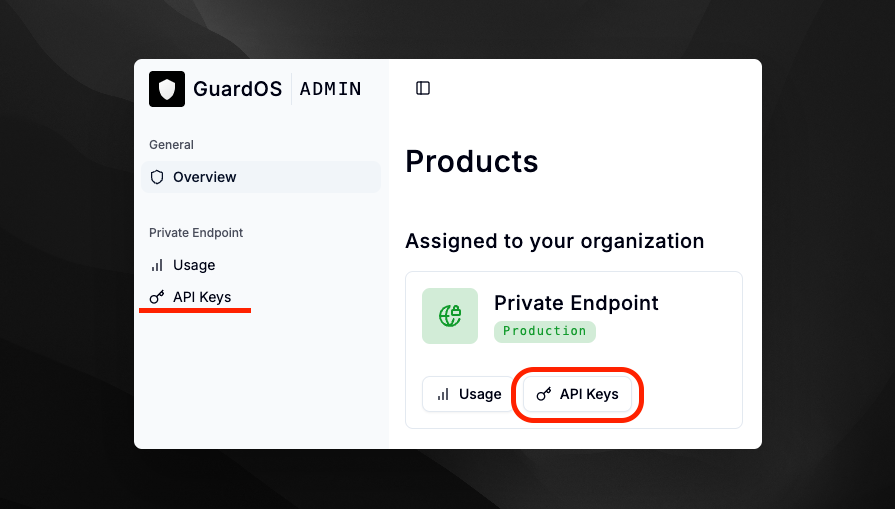
To create an API key, navigate to the GuardOS Admin Portal and click on the API Keys link under the intended product in the sidebar or on the General > Overview page.
Step 2 - Create API Key
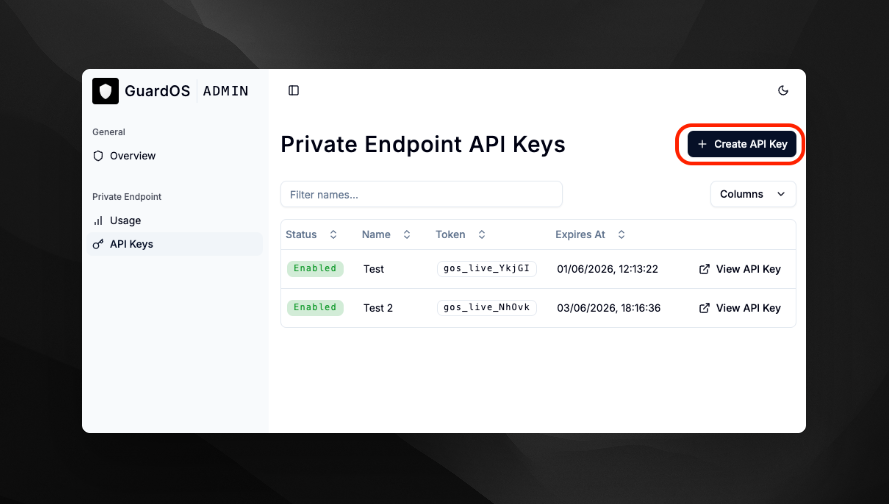
Click on Create API Key in the top right corner.
Step 3 - Key Settings
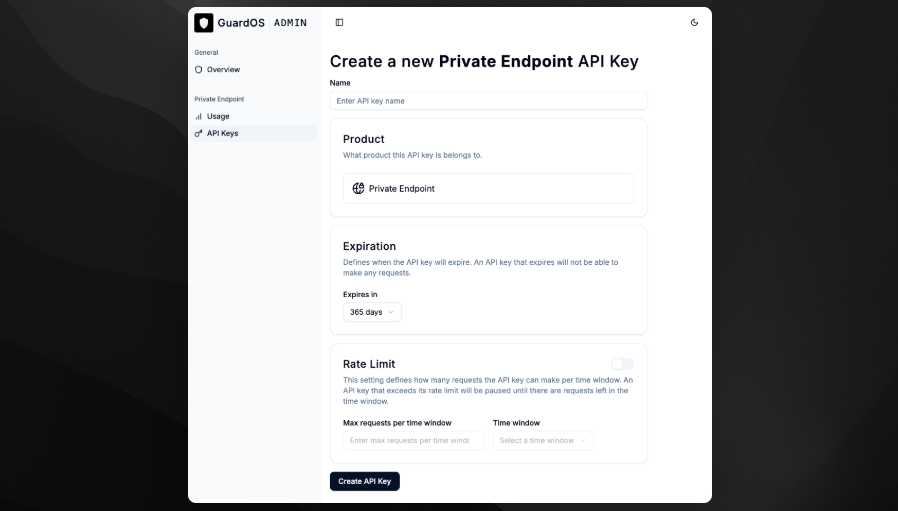
Fill out the required fields and click Create API Key.
- Name: A name for the API key. This is only for your reference.
- Expiration: When the API key will expire. Expired API keys cannot be used to make requests. The maximum expiration date is 1 year from the creation date.
- Rate Limit: Enable or disable. The maximum number of requests per time window.
Step 4 - Saving the API Key
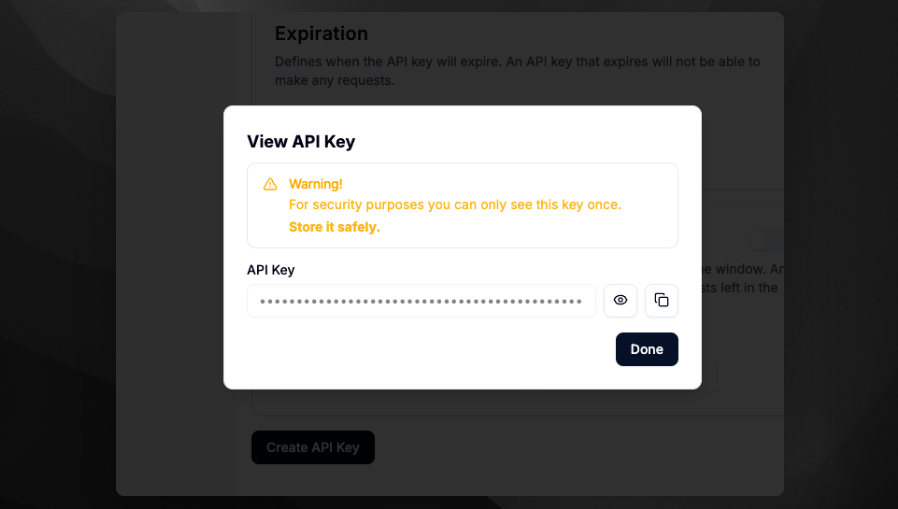
Copy and save the API key securely.
Warning
This is the only time you will see the API key. Please save it securely. GuardOS cannot provide access to your API keys.
In Case of Loss
If you lose your API key, you can always create new keys. There is no limit to the number of API keys you can create.
Important
Always make sure to delete API keys that you no longer need or have access to, to prevent unauthorized access.